
Launch Desktop applications, open files, folders, websites, send e-mails, and do even more much faster, and easier by using key combinations, or quickly accessible, and easily configurable menu.
Get LaunchOnFly 2.2 for Windows 11 and 10 from Microsoft Store, it’s FREE:

… or download version 2.2 for manual install or UPDATE on Windows 11, 10, 8.1, 8, 7

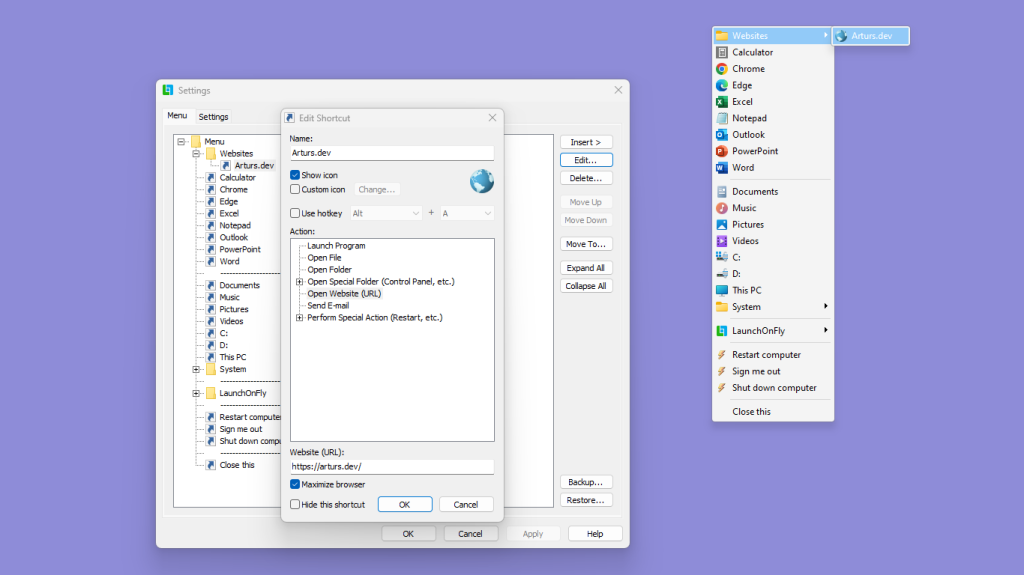


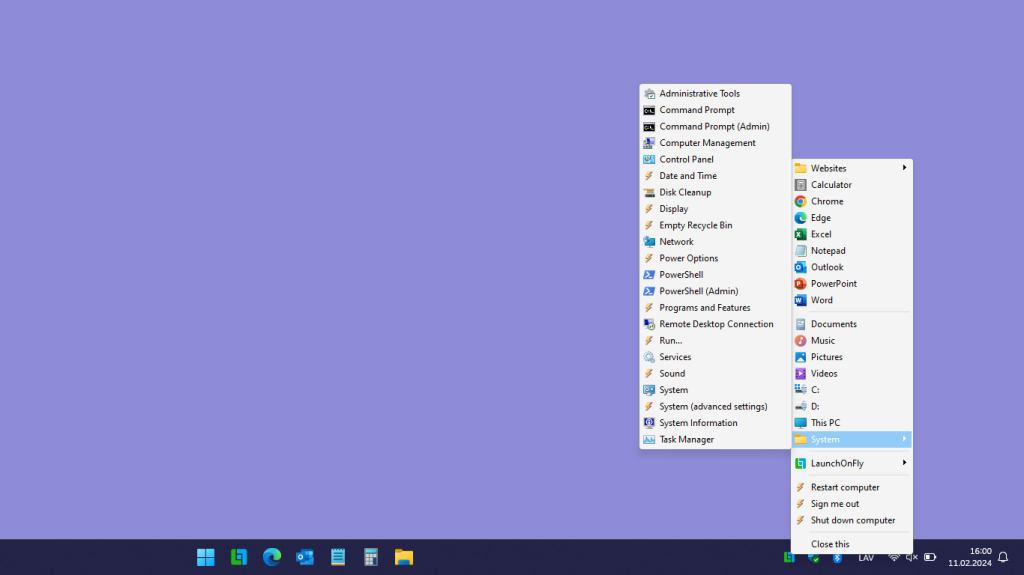


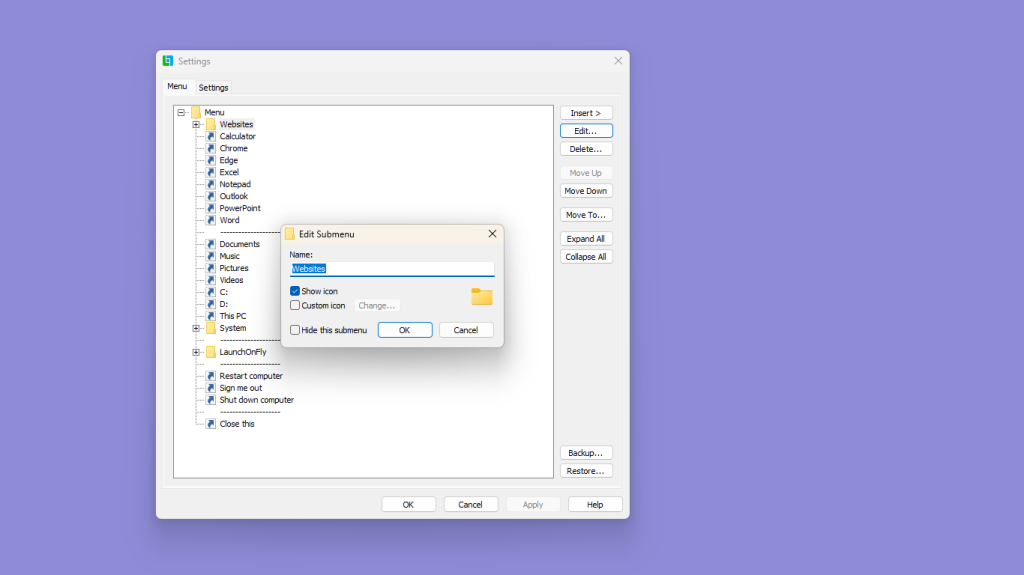
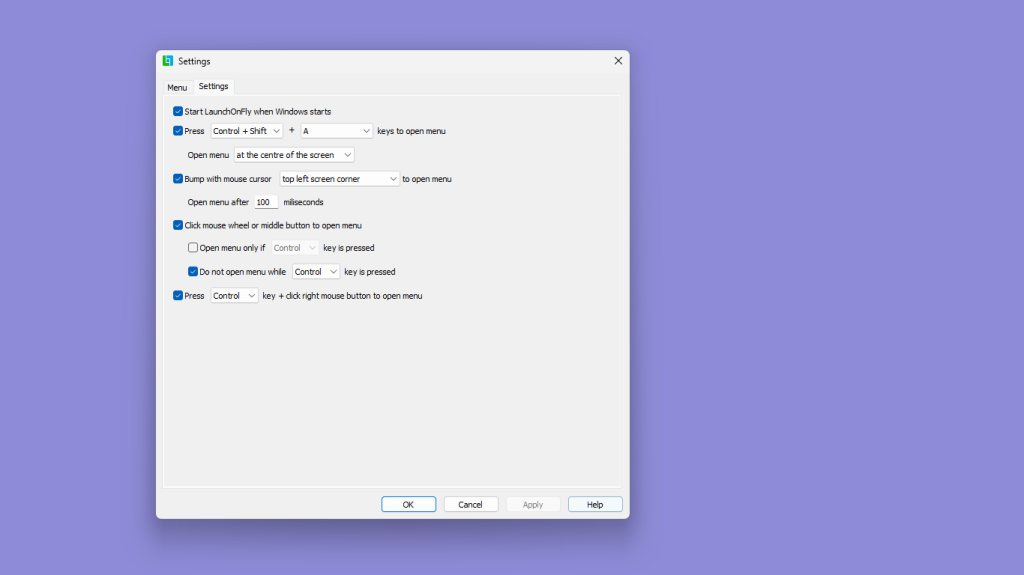
- Launch program files (“exe”, “com”, “bat”)
- Open files, folders
- Open special folders (“Desktop”, “Documents”, “This PC”, …)
- Open websites, send e-mails
- Perform special actions (“Empty Recycle Bin”, “Restart”, “Shut down”, …)
- Open LaunchOnFly menu by pressing a predefined key combination
- Open LaunchOnFly menu by touching any screen corner or border of your choice with mouse cursor
- Open LaunchOnFly menu by clicking mouse wheel or middle button
- Open LaunchOnFly menu by pressing Control, or Shift key + clicking right mouse button
- Open LaunchOnFly menu by left-clicking LaunchOnFly system tray icon (near clock)
- Open LaunchOnFly menu by starting LaunchOnFly application, when LaunchOnFly is already started
- Launch a program, open a file, folder or anything else with only one click of a mouse button or by using predefined key combination
- Hide shortcuts from the menu, and open those shortcuts only by using a hotkey
- Organize your menu the way you want – add separators between menu items, create folders, or even split menu into multiple columns
- Back up, and restore your menu to/from file
Version history:
2.2
- New feature: Added support for Windows 11 and published LaunchOnFly in Microsoft Store
- Change: Removed “Update” functionality to publish LaunchOnFly in Microsoft Store
2.1
- New feature: When display DPI changes, LaunchOnFly menu is now reloaded automatically to correctly display menu items, and system tray icon
- Bugfix: Removed outdated “help.chm”, and “lftutorial.exe” files, and Start menu shortcuts
2.0 (LaunchOnFly is now freeware)
- New feature: It is now possible to specify, that a key (Control or Shift) must be pressed to open LaunchOnFly menu with a click of a mouse wheel or middle button
- New feature: It is now possible to specify to not open LaunchOnFly menu with a click of a mouse wheel or middle button, if a key (Control or Shift) is pressed
- New feature: It is now possible to open LaunchOnFly menu by pressing Control, or Shift key + clicking right mouse button
- New feature: It is now possible to open LaunchOnFly menu at a specific location on the screen, when menu is opened by pressing a predefined key combination
- New feature: It is now possible to open LaunchOnFly menu at the center of the screen, when menu is opened by pressing a predefined key combination
- New feature: It is now possible to open LaunchOnFly menu by starting LaunchOnFly application, when LaunchOnFly is already started
- New feature: An option to run program as an administrator
- New feature: Added “Sleep” special action
- New feature: Added “Close menu” special action
- New feature: Specify for a folder, or special folder to open it “Normal”, “Minimized”, or “Maximized”
- New feature: It is now possible to edit menu items by pressing F2 key in Settings window
- Change: It is now possible to use text “[clipboard]” anywhere in program shortcut’s parameter and as many times as necessary – all will be replaced with text from clipboard
- Change: New LaunchOnFly logo
- Change: LaunchOnFly menu theme is now more in line with Windows 10
- Change: Columns in LaunchOnFly menu are now the same width, and grey line between columns is now removed
- Change: Updated shortcut and submenu icons in Settings window to match Windows 10
- Change: All special actions now have an icon, and are now categorized
- Change: Existing folder is now pre-selected, when browsing for a “Folder” of “Open Folder” shortcut, or for a “Directory” of “Launch program” shortcut
- Change: Focus is now set back to menu editor in Settings after menu operations
- Change: “The operating system denied access to the specified file!” error is no longer displayed as user may have responded with “No” to a User Account Control (UAC) prompt
- Change: Removed “Modems Properties” special action as it is no longer supported since Windows 7 (it is still possible to access it by using “Phone and Modem” special action)
- Change: Updated LaunchOnFly setup application
- Change: LaunchOnFly is now supported on Windows 10, Windows 8.1, Windows 8, and Windows 7
- Change: 6 small changes
- Bugfix: BAT files are now added as “Launch Program” shortcuts, when “Sent to” LaunchOnFly
- Bugfix: Fixed issue with Windows application shortcuts reported as directory shortcuts
- Bugfix: Fixed issue with Windows application shortcut file x64 Program file paths reported as for x86
- Bugfix: It is now possible to open files without an “Open” action defined for it’s file type
- Bugfix: Environmental variables (such as “%windir%”) specified in paths are now expanded
- Bugfix: Fixed key shortcuts functionality in LaunchOnFly menu- it is now possible to select a menu item by the first letter of its name
- Bugfix: Fixed issue with middle-click, and right-click propagation (click-through) to original window, when opening LaunchOnFly menu
- Bugfix: ‘Show/hide desktop icons’ special action now works on Windows 7, 8, 10
- Bugfix: ‘Show/hide the taskbar’ special action now works on Windows 7, 8, 10
- Bugfix: LaunchOnFly menu no longer loads slower, if there are shortcuts present pointing to a network location, or a removable drive
- Bugfix: LaunchOnFly menu no longer loads slower, if there is a an “Empty Recycle Bin” shortcut present and recycle bin contains large amount of items
- Bugfix: LaunchOnFly menu no longer loads slower, if there is a Recycle Bin shortcut present
- Bugfix: LaunchOnFly menu is now closed immediately after selecting either “Edit…”, “Delete…”, “Open all items”, or “Settings…” in its context menu
- Bugfix: It is no longer possible to open a context menu for LaunchOnFly menu’s context menu itself
- Bugfix: Special folders are now listed in correct order
- Bugfix: 2 small LaunchOnFly menu loading performance improvements
- Bugfix: 10 small bugfixes
1.52
- New feature: You can now hide individual shortcuts and submenus (in case you want shortcuts to be available only using hotkeys)
- Change: Updated icons in Settings window
- Change: Misc. user interface changes
- Bugfix: When ALT key was used in combination with any other key to open LaunchOnFly menu, it didn’t show up properly
- Bugfix: LaunchOnFly sometimes didn’t correctly import shortcuts created by Microsoft Windows Installer
- Bugfix: Fixed bugs related to importing new shortcuts and editing items right from LaunchOnFly menu
- Bugfix: Misc. bugfixes
1.51
- Bugfix: Settings window did not always come to front after sending an item to LaunchOnFly
- Bugfix: Error occured while sending an item to LaunchOnFly with Settings window opened and Menu tab not selected
- Bugfix: Couldn’t uninstall LaunchOnFly if it was running and upgraded from versions prior to 1.5
- Bugfix: Menu saving is now more reliable
1.5 (LaunchOnFly is now shareware)
- New feature: Hotkeys for menu items
- New feature: You can now send multiple items at once to LaunchOnFly
- New feature: You can now drag and drop files and folders directly onto the Settings window without using the Send to menu
- New feature: Added special action “Switch User/Lock Workstation”
- Change: Improved icon handling while importing shortcuts
- Change: Miscellaneous user interface changes
- Change: Help is now available
- Change: Improved QuickStart Guide
- Change: Improved uninstaller
1.32
- New feature: Windows Vista support
- Bugfix: Fixed issues with limited accounts
- Bugfix: Fixed a bug related to Column separators
1.31
- New feature: Column separators
- Bugfix: Fixed issues with operating systems older than Windows XP
- Bugfix: LaunchOnFly menu didn’t close after selecting Open all items
1.3
- New feature: Menu item drag and drop support in Settings window
- New feature: You can now expand or collapse all submenus in Settings window by one click of a button
- New feature: You can now use a text in clipboard as a parameter for program by using text “[clipboard]”
- Change: More actions in right-click menu for items in main menu (Edit, Delete, Open all items, Settings)
- Change: Settings window is now resizable
- Change: Some user interface changes in Settings window
- Change: When specifying a program or file for a new shortcut, file extension is now automatically removed
1.21
- New feature: LaunchOnFly now automatically checks for updates
- Change: Menu highlight color is now a bit lighter
- Change: Small changes in Configuration window
- Bugfix: Finally made key shortcuts (&) in menu to work
1.2
- New feature: You can now open menu by clicking mouse wheel or middle button
- New feature: You can now configure LaunchOnFly by right-clicking your shortcuts in menu
- Bugfix: LaunchOnFly didn’t handle URLs properly
- Bugfix: LaunchOnFly didn’t install properly on some operating systems
- Bugfix: Uninstall sometimes didn’t work correctly
1.1
- New feature: Added menu backup and restore functionality
- New feature: Added special action: Show/Hide Desktop
- Change: Enlarged configuration window
- Bugfix: Fixed a bug when menu didn’t close when you clicked somewhere outside it
- Bugfix: Fixed a bug in uninstall
 Software by Arturs Sits